Facebook
It is possible to create a quick login for your helpdesk via Facebook. To do so, you need to follow these steps:
Register Facebook App
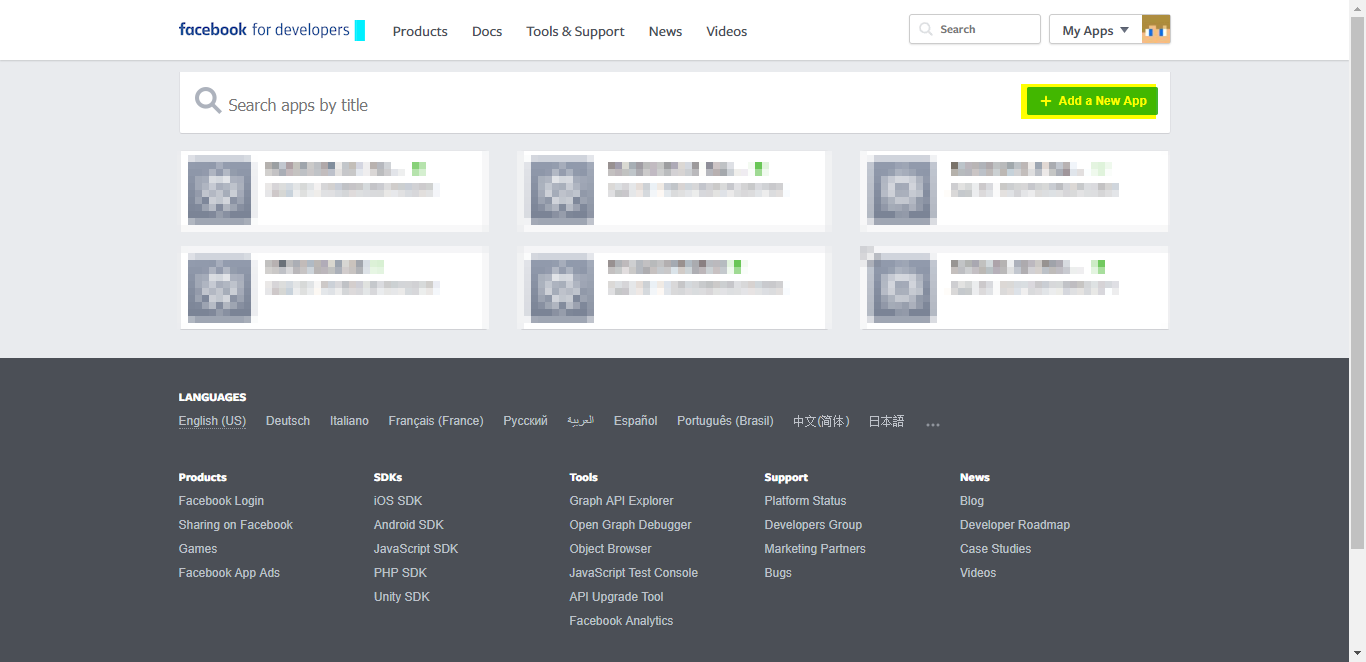
Visit https://developers.facebook.com/apps/ and click on “Add a new App”
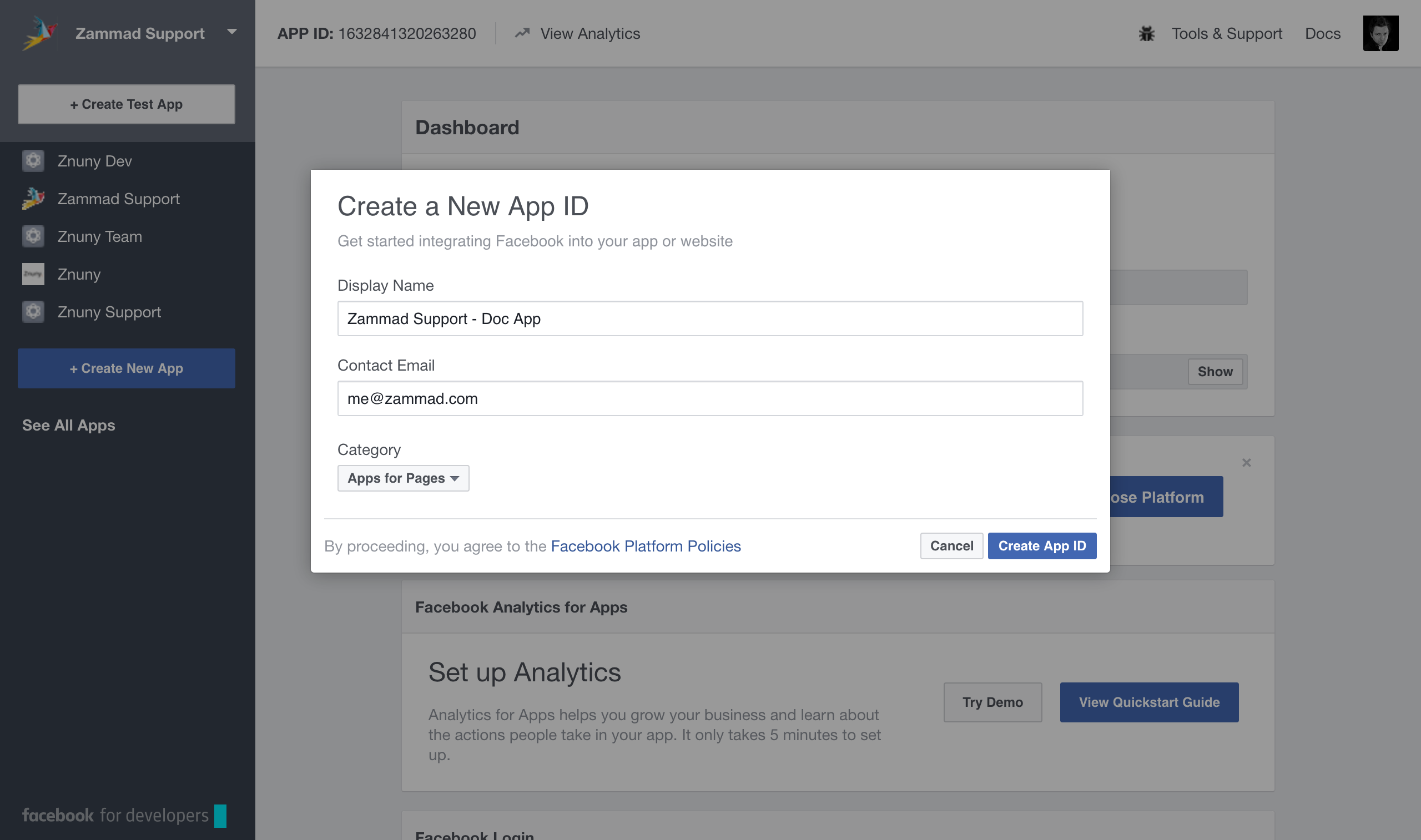
After that enter the app settings
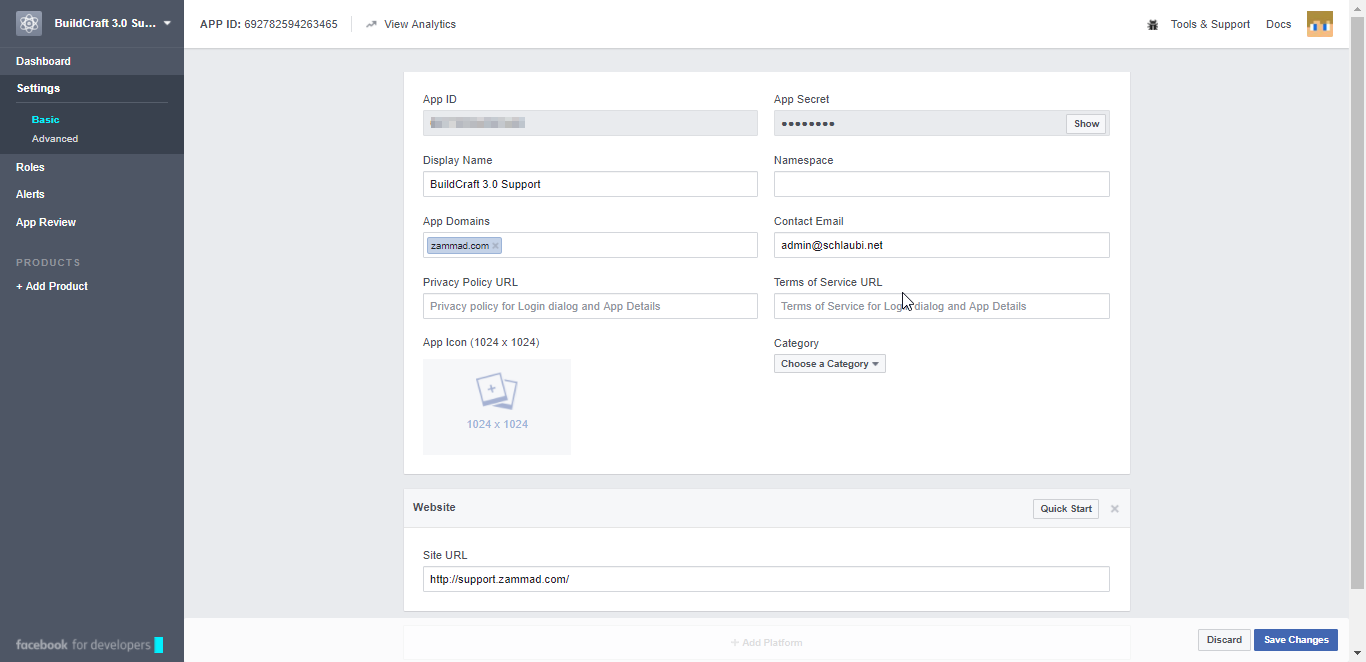
Navigate to “Settings” and fill in this information
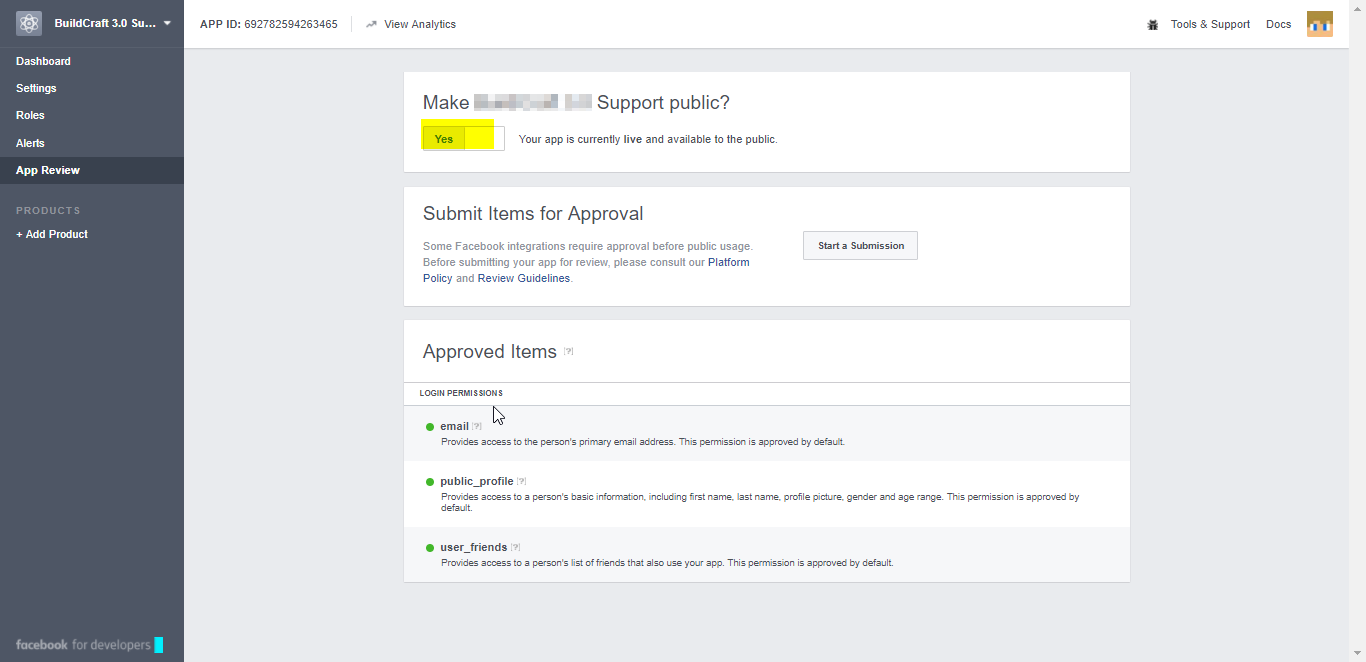
Navigate to app review and Check “Make [appname] public?”
Configure Zammad as Facebook App
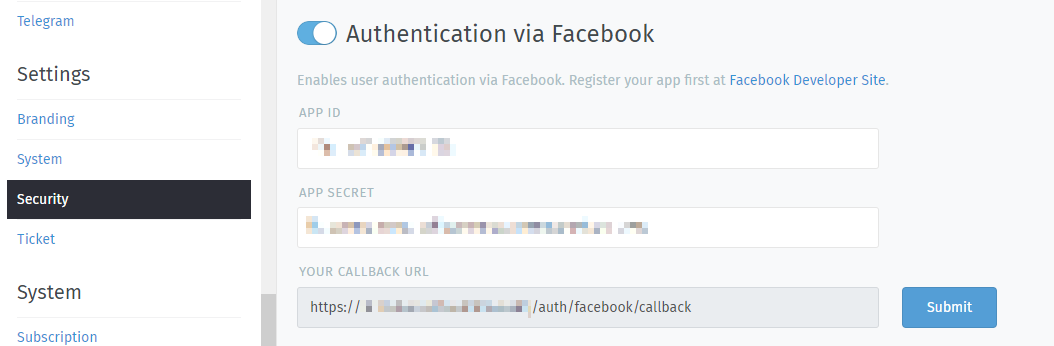
Navigate to Settings > Security > Third-party Applications and enter the App ID and the App Secret. You can find this key in the dashboard of your Facebook app.
Now you can link accounts via Avatar > Profile > Link Accounts or login via Zammad login page.