Microsoft 365 Graph Email
Connect a Microsoft 365 account (formerly “Office 365”) via Graph API to Zammad.
Hint
What is the difference between the Graph-API- and IMAP-based M365 channel?
The Graph-API variant has some advantages over the IMAP-based channel:
Shared mailboxes are implemented in a better way. By using them, you can save some license costs.
The selection of an inbox folder is implemented with a tree-select field in Zammad. So you can choose a folder from the fetched folder list, which is much less error-prone.
It is the future-proof way of connecting to your M365 environment.
It is more secure and scalable and offers a unified endpoint.
However, there is also a known issue for the Graph-based M365 channel which
is caused by Microsoft: it can happen that the From: header in outgoing
emails gets replaced with the configured display name of your M365
configuration. This means that your email sender format configuration is
basically ignored, even though Zammad sends the email as configured. The
IMAP-based channel doesn’t have this issue.
Note
Microsoft 365 channels are a specialized kind of 📨 email channel.
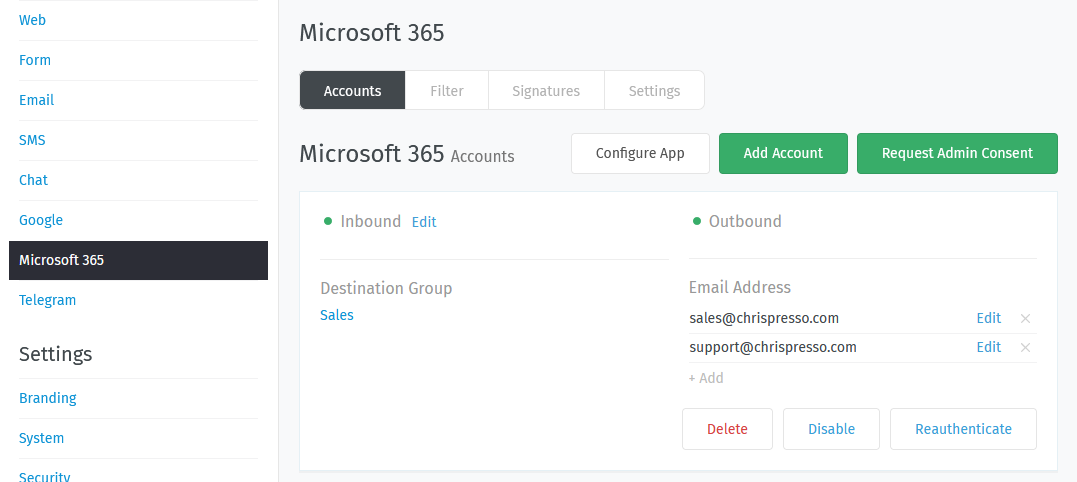
If you’re already familiar with email channels, you can skip most of this - but you should have a look at the Accounts section, which differs from a standard email setup.
- 👥 Accounts
Connect Zammad to your email provider so that it can watch your inbox, send auto-replies, and more.
(Self-hosted users may have already completed this step during new system setup.)
- 🗂️ Filters
Make sure new tickets show up in the right place with automated, if-this-then-that rules for all incoming email.
- 📜 Signatures
Customize signatures for all outgoing email.
- ⚙️ Settings
Manage options like:
set the “From:” address on system notifications
raise the limit on attachment sizes
modify subject-line prefixes (e.g., use “AW:” instead of “RE:”)
Hint
Want to manually edit email subjects or always copy parent messages into your replies?
Check the ✍️ Composer Settings.
- 📇 Header based actions
Manipulate auto response behavior or incoming routing.
Warning
🤓 This is a very advanced topic.
- 🛟 Common M365 errors
Here you can find common errors and how to fix them.