Monitoring
Note
This function is only available in self hosted instances. For our SaaS customers, we’re monitoring the system on our own and take steps to fix potential problems directly.
General
On the monitoring page, you can see the current health state of Zammad under Current Status at the bottom. This can be useful if you want to have a look if everything is up and running. As an example, you could have a look in the monitoring when you assume that some emails aren’t processed from Zammad.
Note
Can’t receive an email and the monitoring response is “healthy”?
Zammad will just inform you about unprocessable emails. This is not the case for oversized emails. You can adjust the maximum email size in Settings.
Monitoring API
Beside the indication in the monitoring page, you can also use an external monitoring tool to monitor Zammad’s health. To request the health of Zammad, you need to provide the API key (token) to the external monitoring tool. You can copy the token from the Current Token field as well as the whole API endpoint of your system (Health Check field), in which the API token is already included.
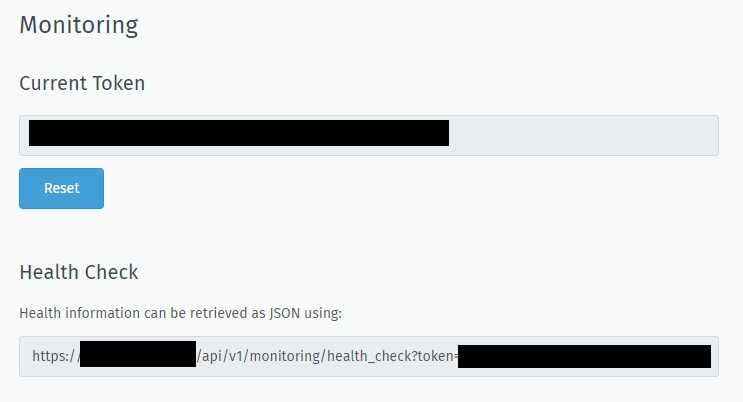
Screenshot showing Token and Health Check
In addition to that, you can reset the auto-generated token to make sure
that already configured monitoring systems won’t work anymore. So, please use
this Reset button only if you know what you do!
Example Output
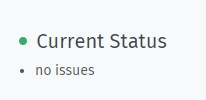
- No issues found
Indicator in Zammad:
API response:
{
   "healthy": true,
   "message": "success"
}
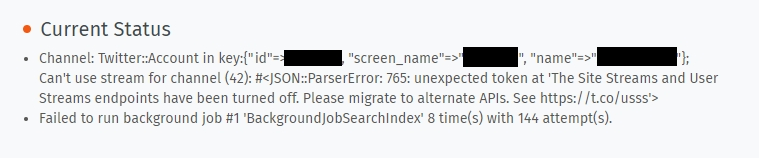
- Issues were found
Indicator in Zammad:
API response:
{
   "healthy": false,
   "message": "Failed to run background job #1 'TicketArticleCommunicateEmailJob' 1 time(s) with 2 attempt(s).;Channel: Email::Account in  Imap: Connection refused - connect(2) for 127.0.0.1:143 (Errno::ECONNREFUSED);Channel: Email::Account out  Smtp: Connection refused - Network connection to 'localhost' (port 25) could not be established: Connection refused - connect(2) for \"localhost\" port 25 (Errno::ECONNREFUSED)",
   "issues": [
      "Failed to run background job #1 'TicketArticleCommunicateEmailJob' 1 time(s) with 2 attempt(s).",
      "Channel: Email::Account in  Imap: Connection refused - connect(2) for 127.0.0.1:143 (Errno::ECONNREFUSED)",
      "Channel: Email::Account out  Smtp: Connection refused - Network connection to 'localhost' (port 25) could not be established: Connection refused - connect(2) for \"localhost\" port 25 (Errno::ECONNREFUSED)"
   ],
   "actions": [],
   "token": "XXXXXXXXXXXXXXXXXXXXXXXXXXXXXXXXXXXXXXXXXx"
}