GitHub
Use GitHub integration to track GitHub issues directly within Zammad tickets. Add links to issues and get meta information like status (open/closed), assignee, labels and more. Please note that our GitHub integration does not support pull requests.
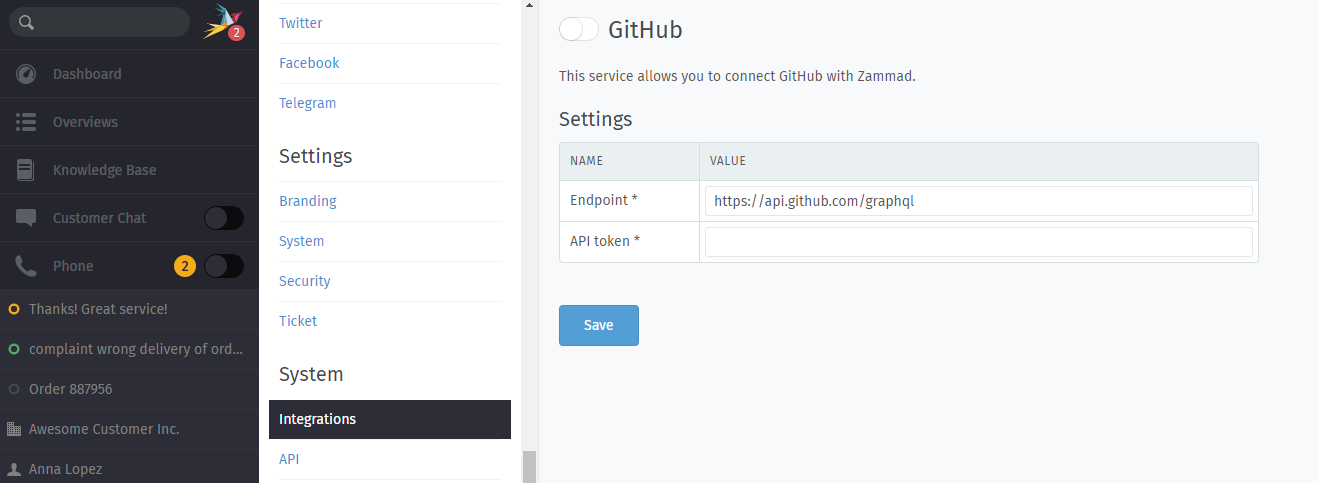
Setup
Create a new API token in your GitHub profile under Developer settings > Personal access tokens > Fine-grained tokens.
Add a name, set an expiration date and define the repository access. Don’t add additional permissions.
Enter your new API token in Zammad and enable GitHub integration. Use the default API endpoint (
https://api.github.com/graphql) unless you’re using GitHub Enterprise Server.
Once completed, a new GitHub issues tab will appear in the ticket sidebar.
Troubleshooting
- Token verification is taking a long time
Slight delays are normal (<2 min.), especially for systems under heavy load.
Self-hosted administrators, please check your network settings to ensure that your Zammad server can reach
api.github.com.- I reloaded the page and now the API token is gone
This may indicate that Zammad is still verifying your API token. Try reloading the page again in a couple minutes.