GitLab
It is possible to create a quick login for your helpdesk via GitLab. To activate the quick login, you need to enable OAuth for GitLab.
Register GitLab App
To register an app in GitLab, open your profile and select applications.
As callback URL, enter https://zammad-fqdn/auth/gitlab/callback
where zammad-fqdn has to be replaced with your Zammad FQDN. You can even
find and copy the callback URL from Zammad in the Authentication via GitLab
section.
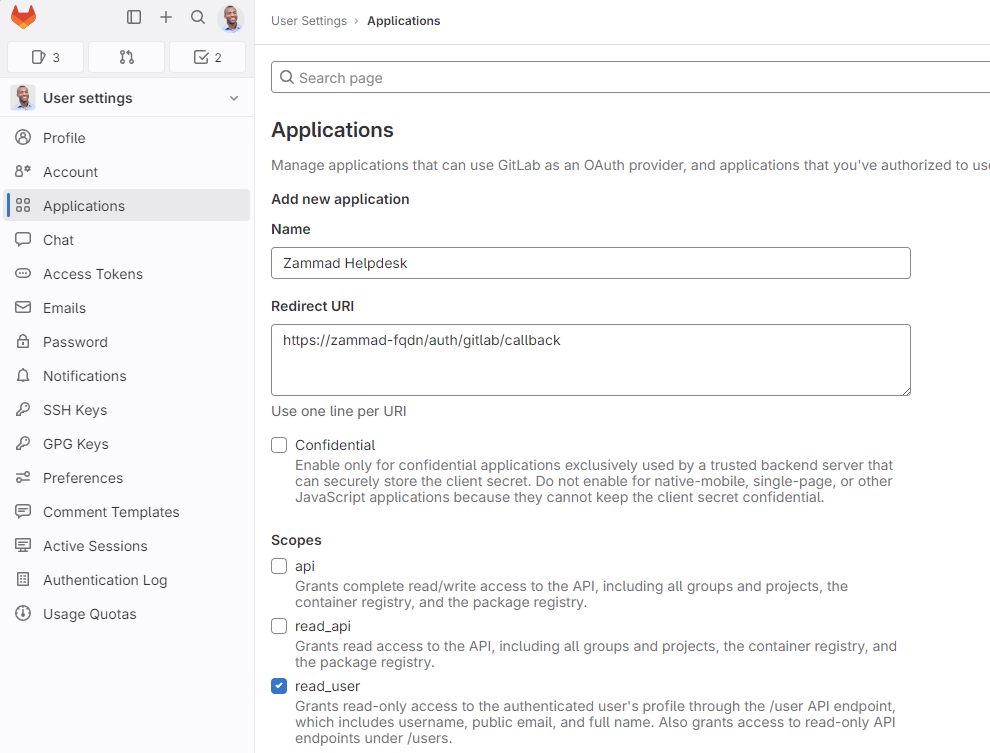
Just select read_user under scopes as in the screenshot and save it.
Configure Zammad as GitLab App
Enter the APP ID and the APP SECRET from the GitLab OAUTH Applications Dashboard and your GitLab-URL in the SITE field.
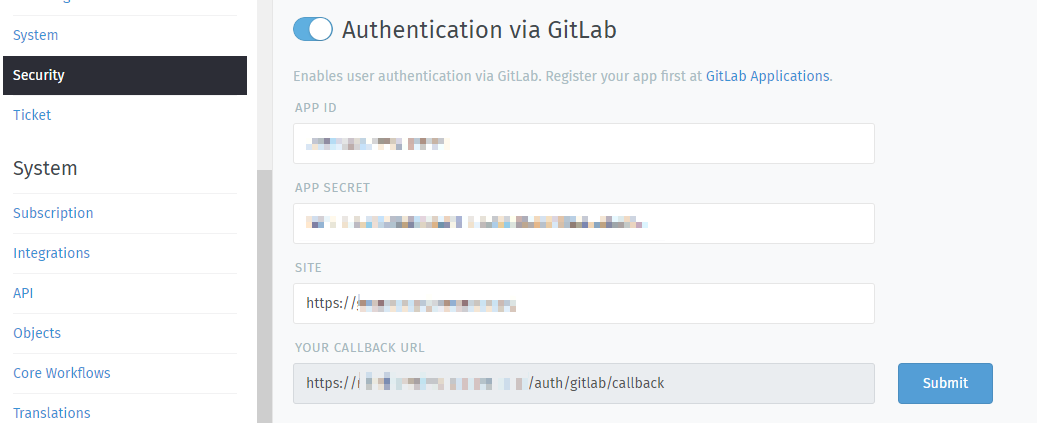
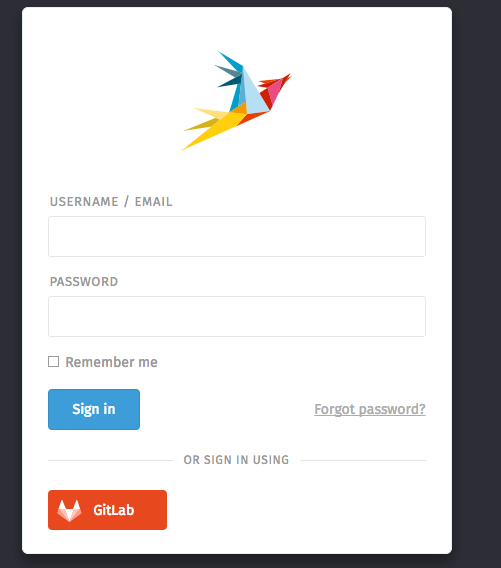
After you configured the GitLab credentials and activated the login method, you should see a new icon on the login page.
If you click on the icon, you will be redirected to GitLab and see something similar to this:
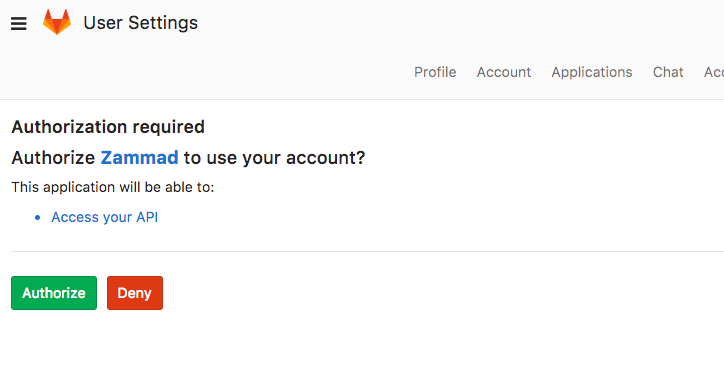
After granting access, you will be redirected to your Zammad instance and logged in.
Now you can link accounts via Avatar > Profile > Link Accounts or login via Zammad login page.