Надгледање
Белешка
Ова функција је доступна само у инстанцама које сами хостујете. За наше SaaS клијенте, ми сами надгледамо систем и предузимамо кораке да директно решимо потенцијалне проблеме.
Уопштено
На страни за надгледање можете видети тренутно стање Zammad-а под Тренутно стање при дну. Ово може бити корисно ако желите да проверите да ли је све у реду. Као пример, могли бисте да проверите надгледање када претпоставите да се неке имејл поруке не обрађују од стране Zammad-а.
Белешка
Не можете да примите имејл поруке и стање надгледања је „без проблема“?
Zammad ће вас само обавестити о необрађеним имејл порукама. Ово није случај са превеликим имејл порукама. Можете подесити максималну величину имејл порука путем Подешавања.
API надгледања
Поред индикације на страни за надгледање, можете користити и спољни алат за надгледање статуса Zammad-а. Да бисте надгледали Zammad, потребно је да доставите API кључ (токен) спољном алату за надгледање. Можете копирати кључ из поља Тренутни кључ, као и комплетну API путању вашег система (поље Провера доступности), у коју је API кључ већ укључен.
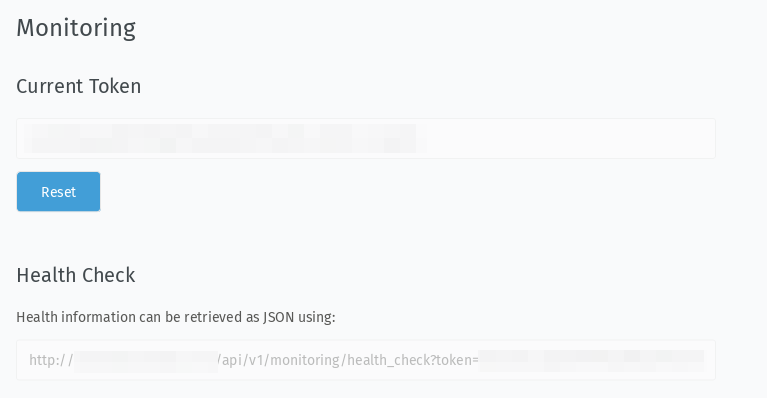
Снимак екрана који приказује кључ и проверу доступности
Поред тога, можете ресетовати аутоматски генерисани кључ да бисте били сигурни да већ конфигурисани системи за надгледање више неће радити. Дакле, користите дугме Поништи само ако знате шта радите!
Пример резултата
- Није пронађен ниједан проблем
Индикатор у Zammad-у:
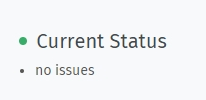
API одговор:
{
   "healthy": true,
   "message": "success"
}
- Проблеми су пронађени
Индикатор у Zammad-у:

API одговор:
{
   "healthy": false,
   "message": "Failed to run background job #1 'TicketArticleCommunicateEmailJob' 1 time(s) with 2 attempt(s).;Channel: Email::Account in  Imap: Connection refused - connect(2) for 127.0.0.1:143 (Errno::ECONNREFUSED);Channel: Email::Account out  Smtp: Connection refused - Network connection to 'localhost' (port 25) could not be established: Connection refused - connect(2) for \"localhost\" port 25 (Errno::ECONNREFUSED)",
   "issues": [
      "Failed to run background job #1 'TicketArticleCommunicateEmailJob' 1 time(s) with 2 attempt(s).",
      "Channel: Email::Account in  Imap: Connection refused - connect(2) for 127.0.0.1:143 (Errno::ECONNREFUSED)",
      "Channel: Email::Account out  Smtp: Connection refused - Network connection to 'localhost' (port 25) could not be established: Connection refused - connect(2) for \"localhost\" port 25 (Errno::ECONNREFUSED)"
   ],
   "actions": [],
   "token": "XXXXXXXXXXXXXXXXXXXXXXXXXXXXXXXXXXXXXXXXXx"
}