Удаљени извор података
Претпостављамо да сте већ погледали типове где можете пронаћи опис појединачних поља.
To reproduce this example, choose an object type you want to add a custom
field to, click on New Attribute and select External data source field
under Format.
Наш пример преузима податке из удаљене базе података са производима. Желимо да додамо наше производе тикетима тако да је могуће претражити производе и изабрати их са листе и приказати линк на страну производа.
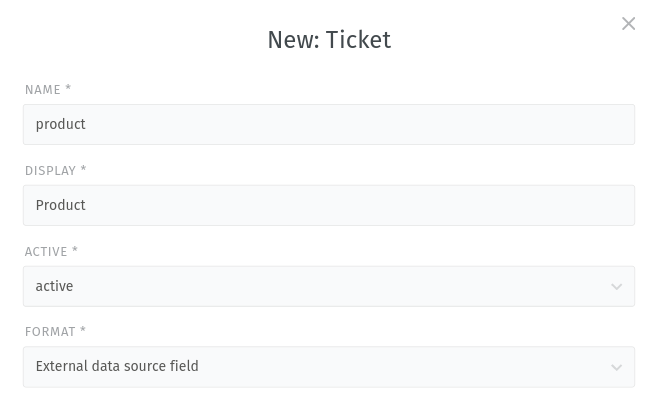
Подешавање удаљеног извора података
Прво, унесите URL адресу претраге и уверите се да садржи #{search.term} као параметар:
Пример: https://dummyjson.com/products/search?q=#{search.term}
Након тога, скролујте на доле до одељка приказа и унесите кључну реч за претрагу удаљеног извора података.
Пример: mac
Након тога можете видети следећи приказ одговора испод:
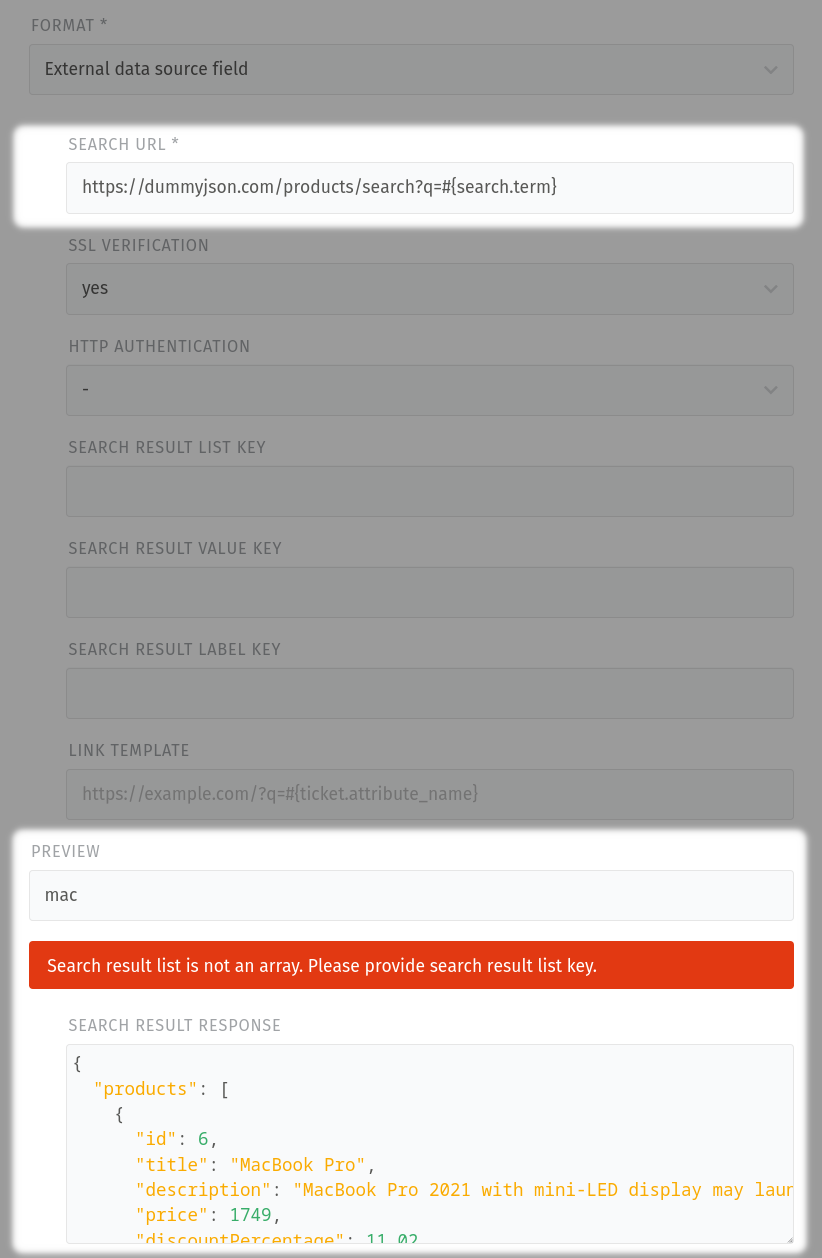
Препоручујемо да користите приказ за преглед структуре података. Постоји кључ на основном нивоу под називом products. Један ниво испод, можете наћи атрибуте id и title.
Одговор резултата претраге на основу унетих кључних речи из примера:
{
   "products": [
      {
         "id": 6,
         "title": "MacBook Pro",
         "description": "MacBook Pro 2021 with mini-LED display may launch between September, November",
         "price": 1749,
         "discountPercentage": 11.02,
         "rating": 4.57,
         "stock": 83,
         "brand": "Apple",
         "category": "laptops",
         "thumbnail": "https://i.dummyjson.com/data/products/6/thumbnail.png",
         "images": [
           "https://i.dummyjson.com/data/products/6/1.png",
           "https://i.dummyjson.com/data/products/6/2.jpg",
           "https://i.dummyjson.com/data/products/6/3.png",
           "https://i.dummyjson.com/data/products/6/4.jpg"
         ]
      },
      {
         "id": 22,
         "title": "Elbow Macaroni - 400 gm",
         "description": "Product details of Bake Parlor Big Elbow Macaroni - 400 gm",
         "price": 14,
         "discountPercentage": 15.58,
         "rating": 4.57,
         "stock": 146,
         "brand": "Bake Parlor Big",
         "category": "groceries",
         "thumbnail": "https://i.dummyjson.com/data/products/22/thumbnail.jpg",
         "images": [
           "https://i.dummyjson.com/data/products/22/1.jpg",
           "https://i.dummyjson.com/data/products/22/2.jpg",
           "https://i.dummyjson.com/data/products/22/3.jpg"
         ]
      },
      {
         "id": 26,
         "title": "Plant Hanger For Home",
         "description": "Boho Decor Plant Hanger For Home Wall Decoration Macrame Wall Hanging Shelf",
         "price": 41,
         "discountPercentage": 17.86,
         "rating": 4.08,
         "stock": 131,
         "brand": "Boho Decor",
         "category": "home-decoration",
         "thumbnail": "https://i.dummyjson.com/data/products/26/thumbnail.jpg",
         "images": [
           "https://i.dummyjson.com/data/products/26/1.jpg",
           "https://i.dummyjson.com/data/products/26/2.jpg",
           "https://i.dummyjson.com/data/products/26/3.jpg",
           "https://i.dummyjson.com/data/products/26/4.jpg",
           "https://i.dummyjson.com/data/products/26/5.jpg",
           "https://i.dummyjson.com/data/products/26/thumbnail.jpg"
         ]
      }
   ],
   "total": 3,
   "skip": 0,
   "limit": 3
}
To tell the remote system that the desired data is located below the
products level, you have to put it in the field Search result list key.
After inserting products in the mentioned field, you get an extended preview.
You can find an additional box Search result list with a JSON structure.
This is the same response as before but stripped from the upper
products element by the external data source.
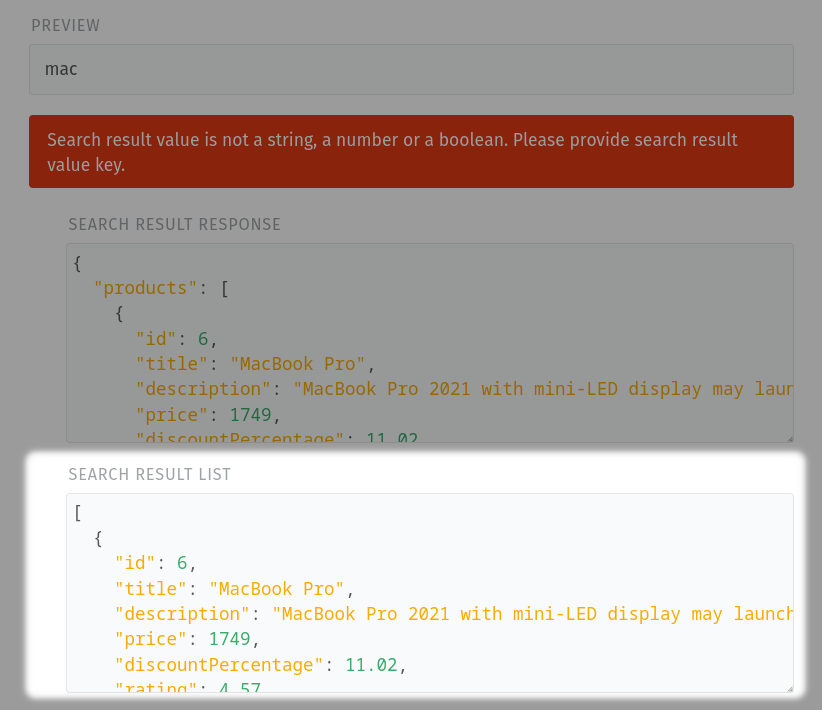
Now you need to provide the keys for the search result values and labels. As
already mentioned, we are looking for the id and the title of our
products. If you haven’t already, it is now a good time to look at the preview
of the Search result list.
[
   {
      "id": 6,
      "title": "MacBook Pro",
      "description": "MacBook Pro 2021 with mini-LED display may launch between September, November",
      "price": 1749,
      "discountPercentage": 11.02,
      "rating": 4.57,
      "stock": 83,
      "brand": "Apple",
      "category": "laptops",
      "thumbnail": "https://i.dummyjson.com/data/products/6/thumbnail.png",
      "images": [
        "https://i.dummyjson.com/data/products/6/1.png",
        "https://i.dummyjson.com/data/products/6/2.jpg",
        "https://i.dummyjson.com/data/products/6/3.png",
        "https://i.dummyjson.com/data/products/6/4.jpg"
      ]
   },
   {
      "id": 22,
      "title": "Elbow Macaroni - 400 gm",
      "description": "Product details of Bake Parlor Big Elbow Macaroni - 400 gm",
      "price": 14,
      "discountPercentage": 15.58,
      "rating": 4.57,
      "stock": 146,
      "brand": "Bake Parlor Big",
      "category": "groceries",
      "thumbnail": "https://i.dummyjson.com/data/products/22/thumbnail.jpg",
      "images": [
        "https://i.dummyjson.com/data/products/22/1.jpg",
        "https://i.dummyjson.com/data/products/22/2.jpg",
        "https://i.dummyjson.com/data/products/22/3.jpg"
      ]
   },
   {
      "id": 26,
      "title": "Plant Hanger For Home",
      "description": "Boho Decor Plant Hanger For Home Wall Decoration Macrame Wall Hanging Shelf",
      "price": 41,
      "discountPercentage": 17.86,
      "rating": 4.08,
      "stock": 131,
      "brand": "Boho Decor",
      "category": "home-decoration",
      "thumbnail": "https://i.dummyjson.com/data/products/26/thumbnail.jpg",
      "images": [
        "https://i.dummyjson.com/data/products/26/1.jpg",
        "https://i.dummyjson.com/data/products/26/2.jpg",
        "https://i.dummyjson.com/data/products/26/3.jpg",
        "https://i.dummyjson.com/data/products/26/4.jpg",
        "https://i.dummyjson.com/data/products/26/5.jpg",
        "https://i.dummyjson.com/data/products/26/thumbnail.jpg"
      ]
   }
]
After locating our two keys, we insert them in search result value key
(id) and in Search result label key (title).
У принципу већ смо подесили удаљни извор података и сада можемо видети табелу у одељку приказа:
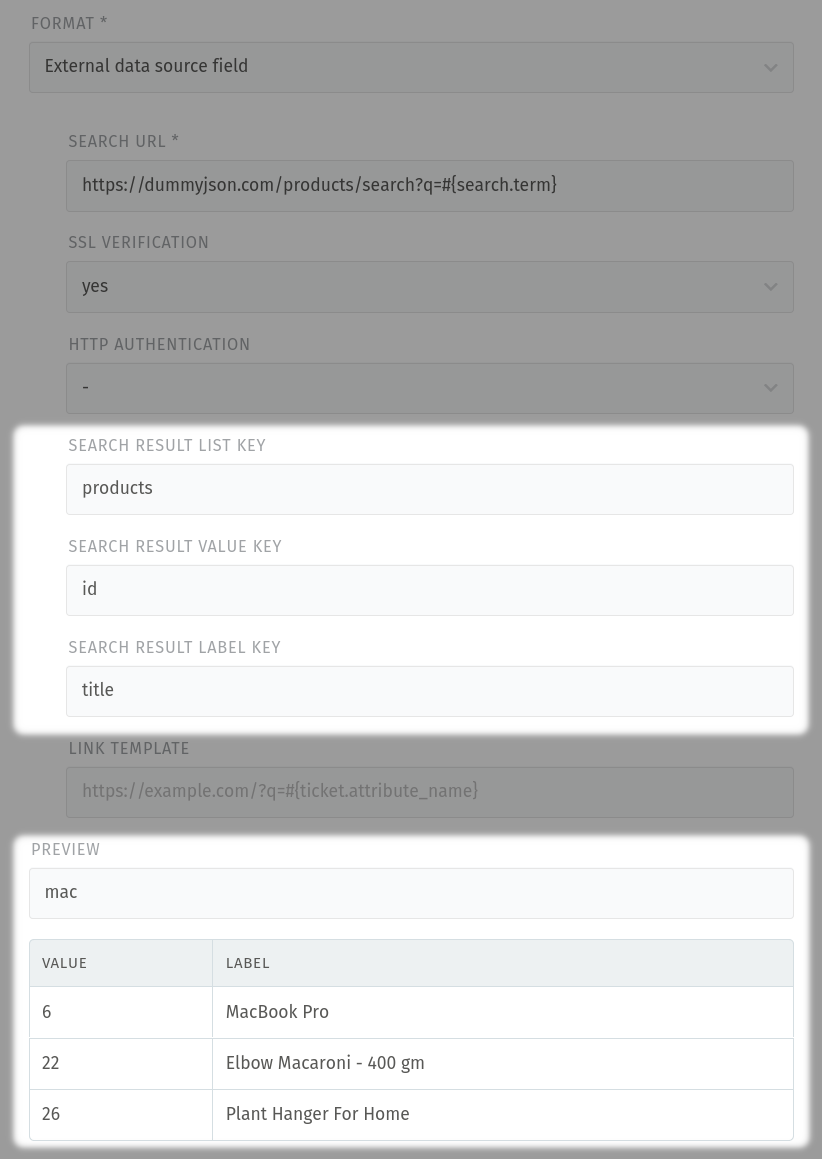
According to our example use-case, just the Link template is missing.
Белешка
Напомињемо да је ово опциона функција. Ако не желите да користите овакве линкове, наравно не морате да их подесите.
Сада можемо додати адресу где се додатне информације о производу могу пронаћи.
Пример: https://your_domain.com/q=#{ticket.product}
У примеру, параметар има следеће значење:
#{}: Поље за убацивање података
ticket: ниво објекта, где додајете свој прилагођени атрибут
product: назив (прилагођеног) атрибута
After configuring your Link template, there will be another column in the preview. Hovering on the icons in the Link column will show you where it forwards you.
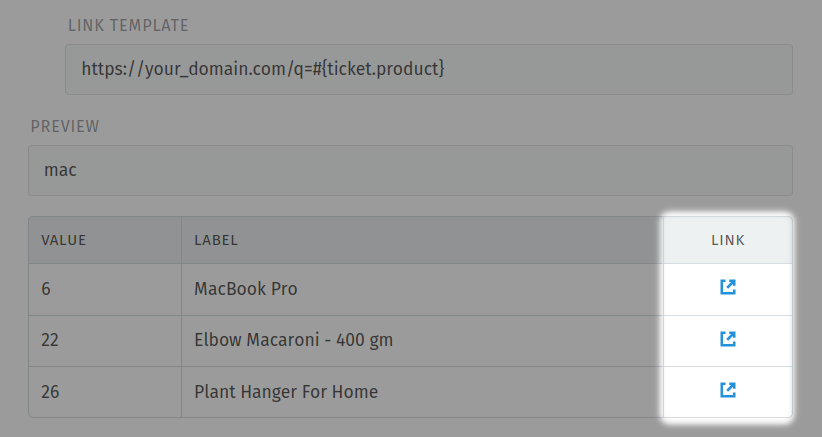
У нашем примеру, један од линкова личи на: https://your_domain.com/q=6, где је 6 ID вредност производа.
Mожете пронаћи више информација о URL адресама у Врсте атрибута.